 FreeSpeech
Your free, private and independent messenger.
FreeSpeech is a free, open-source messenger: chat privately, create groups and share photos, videos and documents. Your messages are encrypted on your device and only decrypted on the recipient's device: servers (relays) just pass them along and cannot read them. No advertising, no tracking in the app, and no phone number or email address required.
Get it on Google Play Android APK (without Google Play) Download for Windows Download for LinuxAlready usable on Android, Windows and Linux. The project needs support to continue: the iPhone version, Apple hardware and server costs. Support FreeSpeech
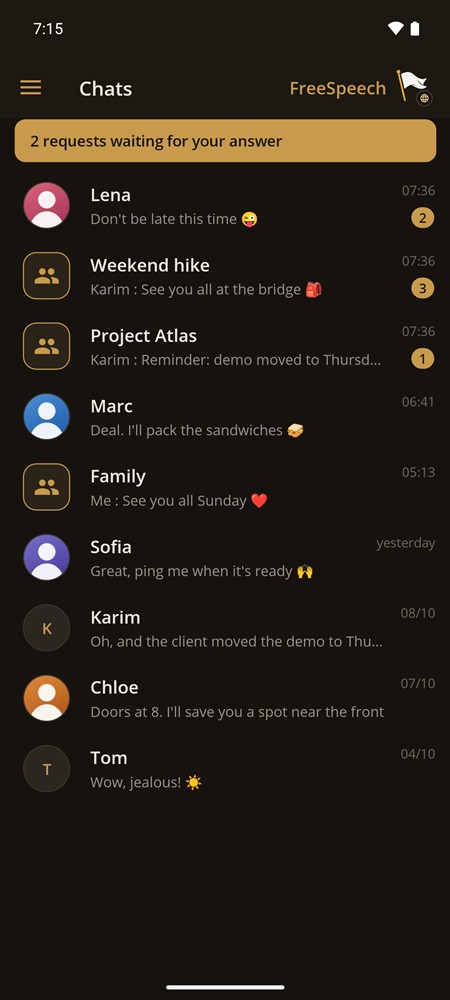
A messaging app that is pleasant every day
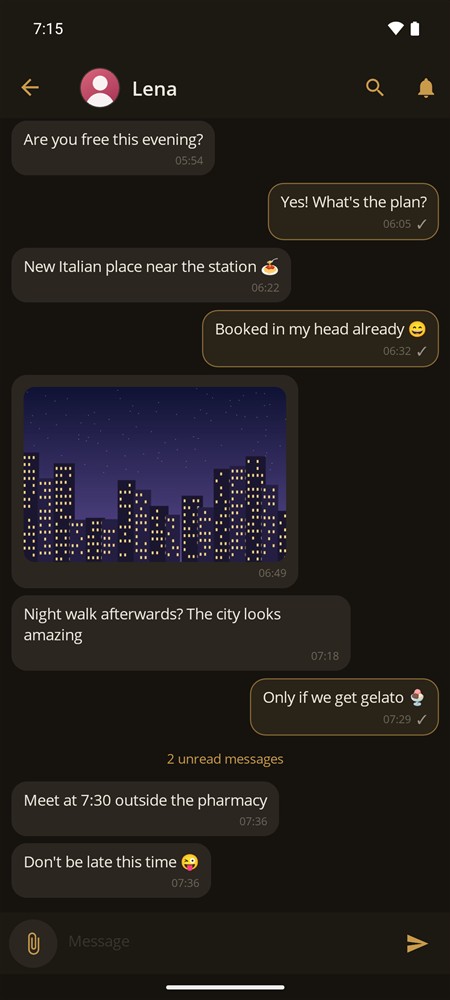
One-to-one conversations
Exchange encrypted messages, reply, react, edit or delete a message. The typing indicator and read receipts can be turned off.
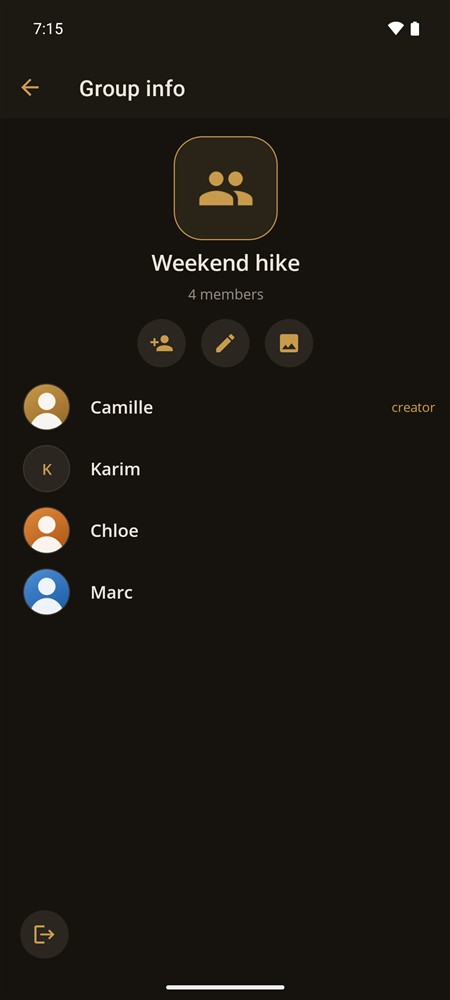
Group chats
Bring together family, a team or a community. Access is by invitation, with administration and moderation roles. Group keys are renewed whenever members change: a former member can no longer read new messages.
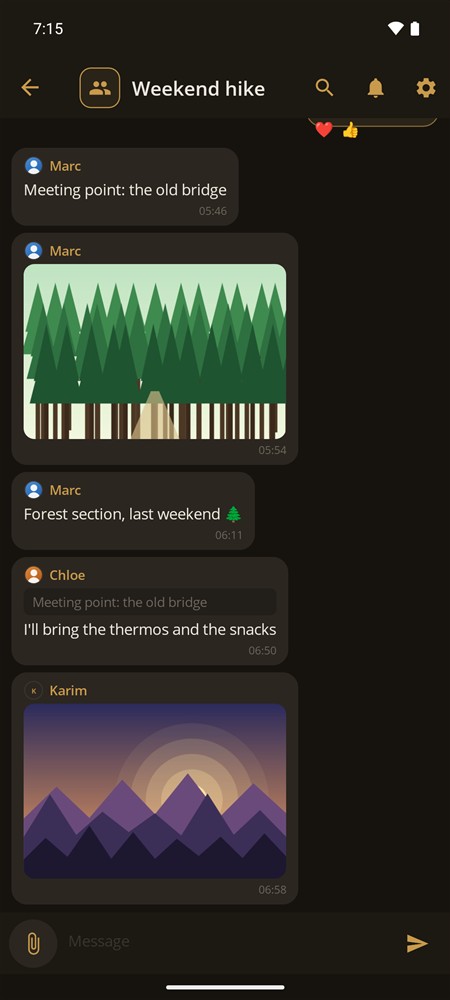
Secure file transfer
Send photos, videos and documents straight into the conversation, without any external service. Files are encrypted like messages and sent in verified pieces; the transfer resumes after an interruption.
No phone number needed
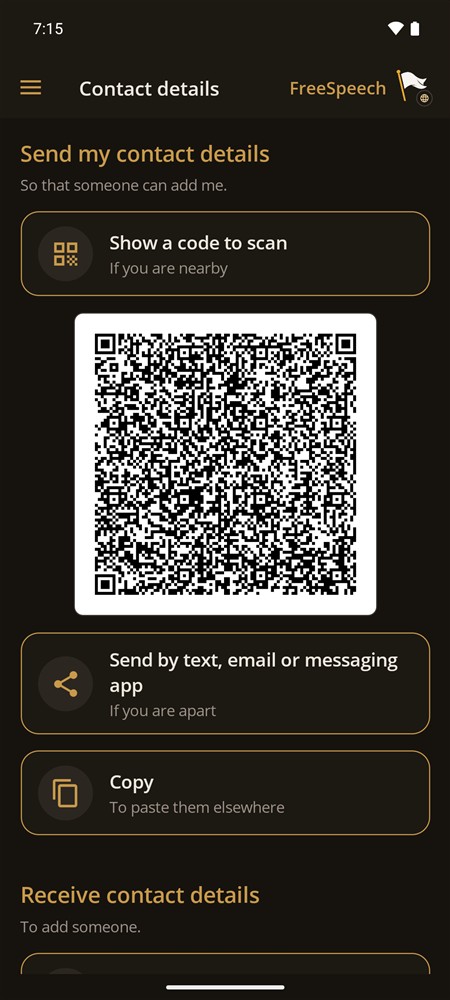
Your identity is created on your device: no phone number, no email address. Add contacts by QR code or one-time card, and verify them with a safety number.
Back up your data and find it again on several devices
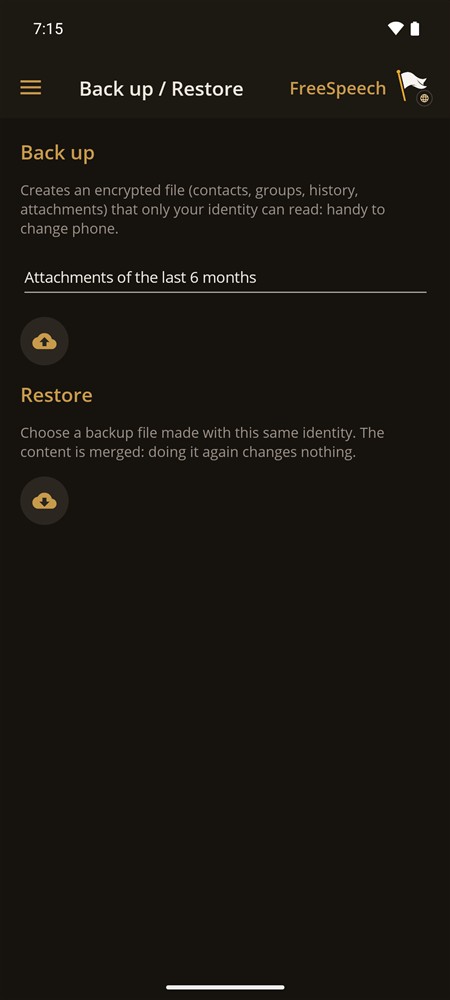
Encrypted backup, printable recovery key, several devices for one identity. Lost or stolen phone: PIN lock, remote wipe and migration to a new identity, automatically sent to your contacts.
Interface in ten languages (French, English, Spanish, German, Italian, Russian, Portuguese, Polish, Turkish, Dutch) with the option to add your own, light and dark themes, notifications independent of message delivery.
Your identity belongs to you
Created in moments, directly on your device.
FreeSpeech draws three phrases at random from public-domain literary works (Project Gutenberg, in several languages) and derives your identity from them, on your device. No account to create, no phone number or email address to provide.
Add contacts by QR code or one-time card, then compare the safety number to make sure you are talking to the right person. Protect the device with a PIN, back up your data in encrypted form and use the same identity on several devices.
These three phrases are not a password to memorise: they are used to generate the keys of your identity. Keep them (password manager, printed sheet) with your backups: no third party can recover your account.
Encryption, directly between devices
Servers cannot read your messages.
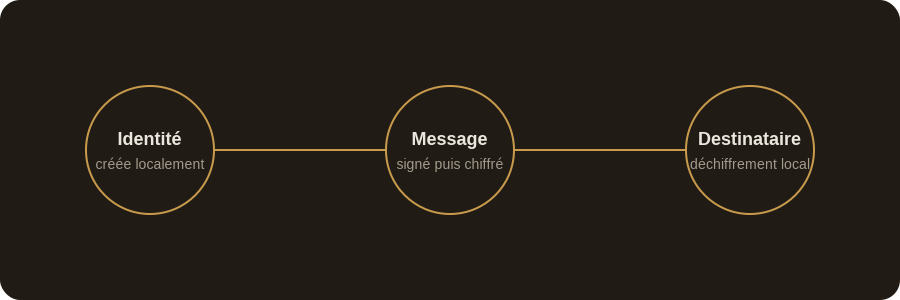
Encryption is done on your device: every message is signed then encrypted before sending, and only the recipient's device can decrypt it. Relays carry messages without being able to read them and without keeping an inbox. Your history and your keys stay on your device, encrypted as well.
So a relay administrator cannot read the content of your exchanges. They can, however, see technical information (who you exchange with, at what time, from which connection), and encryption does not protect against a participant who leaks a conversation themselves.
A network with no central point of control
Several independent servers: no single one can bring the whole network down.
Most messengers depend on one company that controls everything. FreeSpeech works differently: it relies on several independent servers, called relays. A relay is a server that relays messages: it passes them from one device to another without keeping them. Your contacts can be on other relays than yours, and you can set up your own private relay for your family, your association or your company.
Two distinct benefits: encryption protects the content of your messages; decentralisation avoids depending on a single server.
Public relays
Open to everyone and run by independent administrators.
Private relays
Build your own private messaging network: a relay of your own, by invitation, with no link to the public network. Family, association, company: your “private WhatsApp”, hosted and administered by you, with its own push gateway. Your device can stay connected to your public and private relays simultaneously.
Push servers
Independent from relays: they only send the Android or iPhone notification announcing a new message, never its content.
Directories
Used once, at the very first connection: a new app that knows no relay yet asks a directory which public relays accept new accounts. A directory keeps nothing about clients and sees no message.
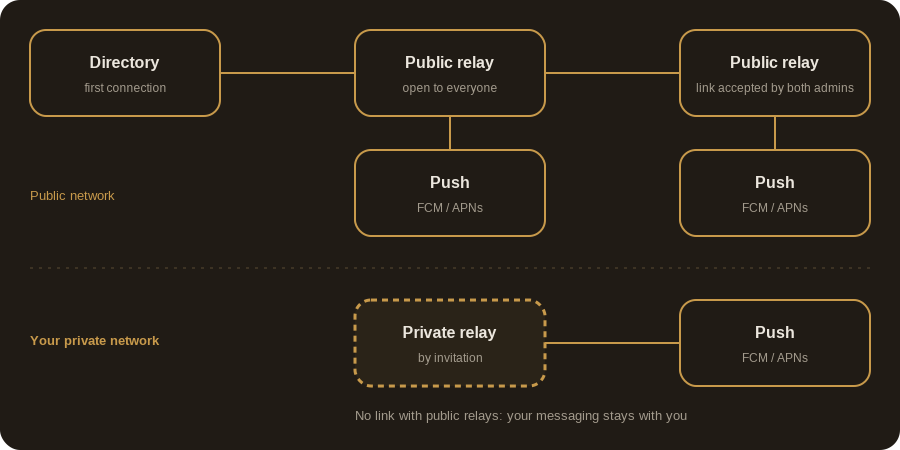
FreeSpeech does not depend on a single company owning the whole service. Its real-world resilience nevertheless depends on the number of servers, the interconnection rules, their capacity and their availability.
FreeSpeech extends a reflection on the freedom to think and to exchange ideas without being watched: Freedom of Thought, Freedom to Communicate.
Run your own relay
Individuals, associations, organisations: control your relays, your access and your architecture.
Management by commands
Invite, allow or ban a person or a neighbouring server, tune the logs, follow one identity: one command, immediate effect, no restart. No paid tool is needed to run an infrastructure.
Respectful logs
Logs contain no message and no key, and identifiers are shortened. Detailed tracking of an identity lasts one hour at most and is always recorded.
Key-based interconnection
Two relays only link up if both administrators agree, by exchanging keys, with no shared secret.
Security and limitations
The code and protocol are public. FreeSpeech is provided as is, without warranty.
- There is no “ratchet” (continuous key renewal) providing forward secrecy yet: if a recipient's long-term key were ever stolen, someone who had recorded their past encrypted exchanges could decrypt them.
- Some metadata remains visible to relays: correspondents, timings and connections (never the content).
- Without a recovery key or a backup, losing the three phrases means losing the identity: no third party can recover it.
- Attachments are fetched from the sender or from a group member.
- The Android, Windows and Linux versions are available. The iPhone version and audio and video calls are planned, with no announced date.
The full security model is described in the technical documentation.
Use, take part, support
Use FreeSpeech
Apps for Android (Google Play or signed APK file), Windows (.msi installer file) and Linux (AppImage). The SHA-256 fingerprints let you check that the files have not been altered.
Take part in the network
Deploy a relay or a push gateway and interconnect it with the existing infrastructure.
Support development
Help fund the iPhone version, Apple hardware and the recurring cost of the servers.
Support the project
FreeSpeech is free, with no advertising or tracking. Donations fund maintenance, server hosting, app store fees (Apple, Google Play, Microsoft Store), test hardware and future development, including the iPhone version.
Recurring donation (Liberapay)One-time donation (Stripe)
These links leave the site; no payment script is loaded here. Recurring donations go through Liberapay (a non-profit platform), one-time donations through Stripe. Neither gives us access to your payment details. Questions: contact@rebisway.com.